Showing posts with label Somfy Motors. Show all posts

Friday, March 27, 2015

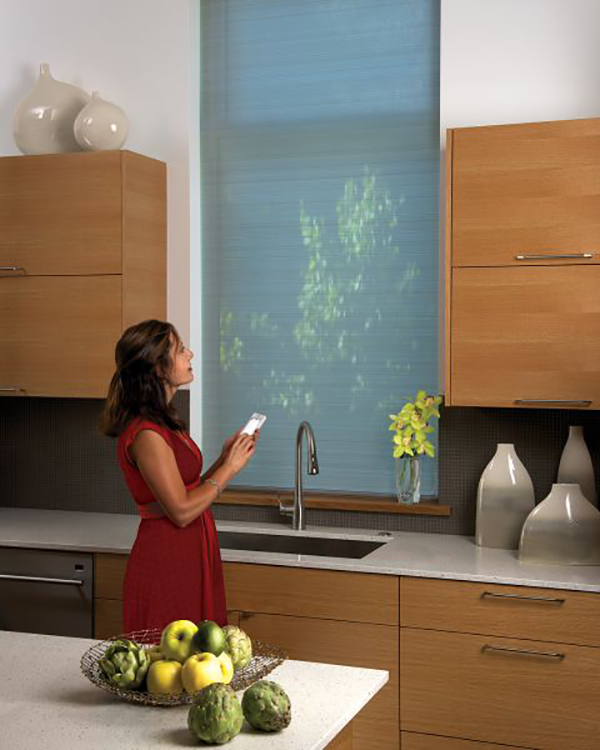
Operate your window Blinds with your Mobile Phones


#BlindsAutomationExpert in #India   #JohnsonBlinds

#Automation

Most of the Smart Homes are  now on #HomeAutomation and the automations are now compatible with all sorts of devices, consisting of everything from wireless speakers, dish washers and dryers to door locks and security cameras. Obviously, smart homes can be used for safety just as easily as it can be used for entertainment. The trend of home automation isn’t just concerned with ease – its advantages are also rooted in function. It’s almost like having a bunch of invisible helpers running around your house, taking care of all the little things.

So you can operate your all devices from your Mobile including your #window Blinds.

Even if you are not at home,you can set timings to open or close your window Blinds.

Many more features are there at your ease.

And #JohnsonBlinds provides a expert advice for Window Blinds Automation.


www.johnsonblinds.com
www.facebook.com/johnsonblinds

Friday, February 28, 2014

Somfy Motors Adjustment

SOMFY  MOTORS  PROGRAMMING  GUIDE  FOR  RTS MOTORS

By Indian Motorisation Specialist - Johnson Blinds  ( www.johnsoninteriors.com ) 

Before you Begin : All motors are shipped without any limit setting. All the steps must be followed. Power should ONLY be connected to the motor which is being programmed. All other motors should be disconnected from their respected power while programming.

Step  1 : Connect Power

Step  2: Press both UP and DOWN buttons at the same time until the shade jogs. A jog is brief Up               and down motion.

Step  3 : Check Direction
Press UP will move the shade up and Press DOWN will move the shade down , if the direction is reverse / opposite , To change the direction press and hold MY until the shade jogs , A jog is brief up and down motion. Now you can check the directions , they will be OK.

Step  4 : Set the limits
Bring the shade down by pressing DOWN BUTTON, the shade/blind  may stop in between ,don't  worry, again press the  DOWN  button and get it down to the desired position. After reaching the desired bottom point press  UP and MY together , your bottom limit is set. And Blind will start moving upwards.

Once you reach the Upper Required Point where you want your blind to stop every time Press  MY  , the blind will stop and then press DOWN  and MY BUTTON  together blind will start moving down and this sets the upper limit. Blind will automatically stop at the lower position which is already set.

Step  5: Confirm the Limit
            Press and hold  MY until the shade jogs .This will set your both limits.

Step  6 : Complete Setting
To finally complete the settings of Remote with Motor you need to press the button with a stick which is there at the back side of remote. And keep pressing until the blind/shade  jog, Once it jogs your blind is completely set.

FOR MORE INFORMATIONS REGARDING MOTOR SETTING OR ANY OTHER QUERRY SEND US E MAIL AT

info@johnsoninteriors.com
Somfy Remote
Somfy Expert : Johnson Blinds


Monday, January 27, 2014

Blind Motors and Remotes

Johnson offers the wide variety of motors and remotes.Johnson is one of the prominent brand in India among architects and interior designers for window blinds. We have professionals to guide you in advance for making choice for motors,suggesting you for electrical points and thereby giving an estimate.
We are channel associates of SOMFY , ELERO and DOOYA. We also offer super silent motors and multi channel remotes ie. you can operate 1,4 or 16 windows individually or all together with single remote.

With the improved technology and reasonable pricing ,motorisation is a luxury we all can afford.